




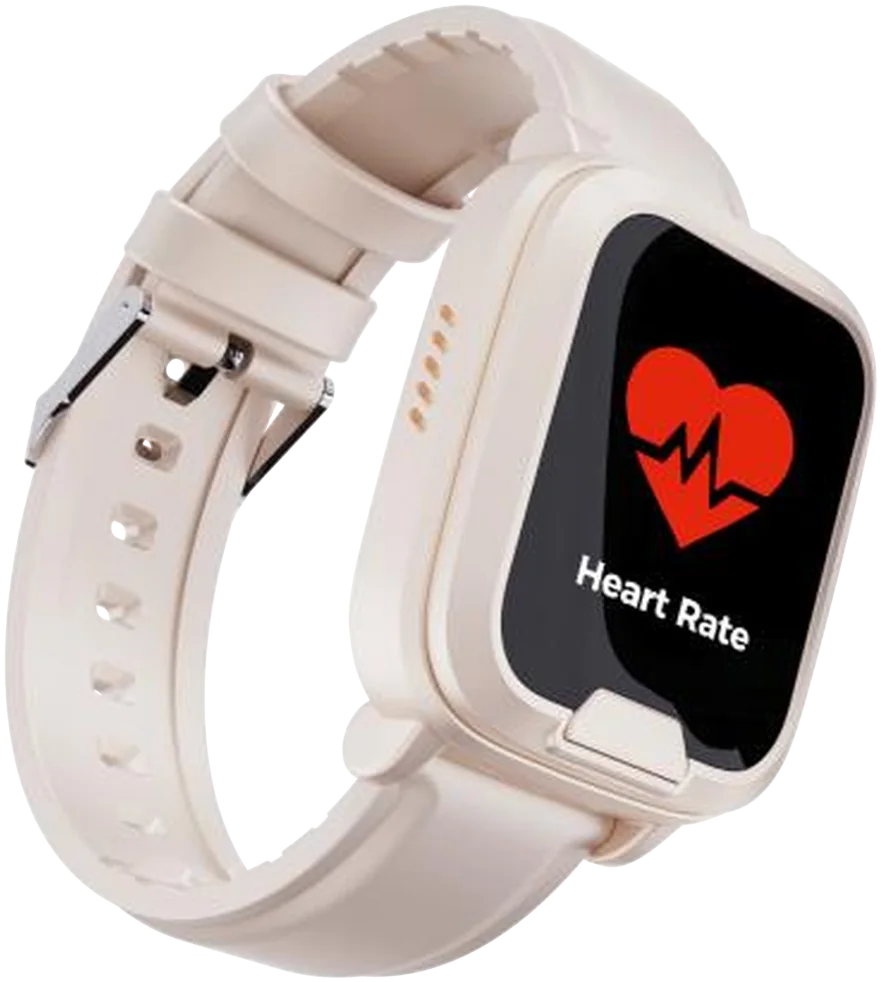

What happens when you hold the button?
The watch rings the people you chose, in the order you set. No answer in 15 seconds, and it rings the next, up to five times round the list. Here's the whole sequence, with what the family sees.
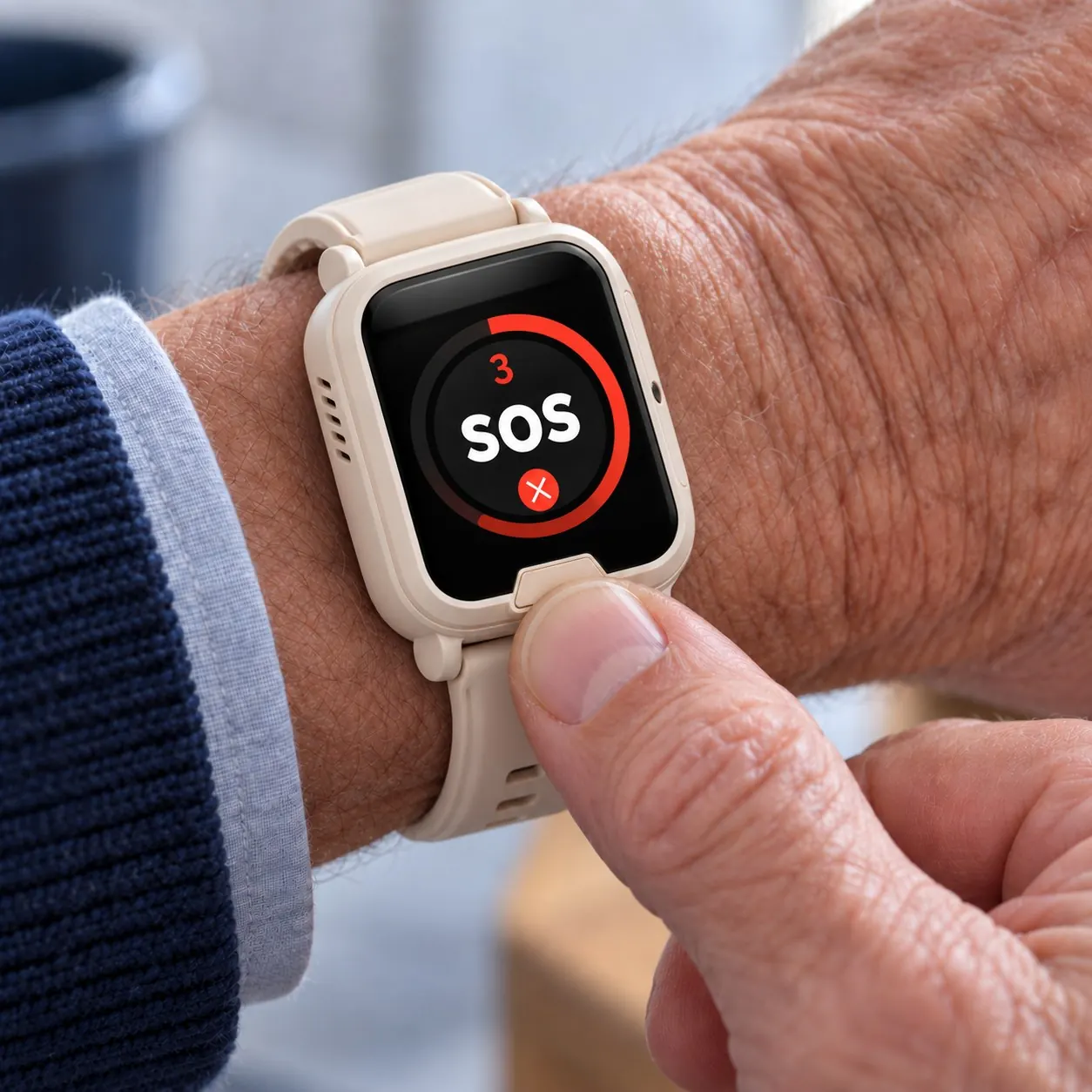
Step 1: You hold the button
For two seconds. The wide button under the screen is the only control needed; nothing to unlock or read. The watch starts ringing your people.
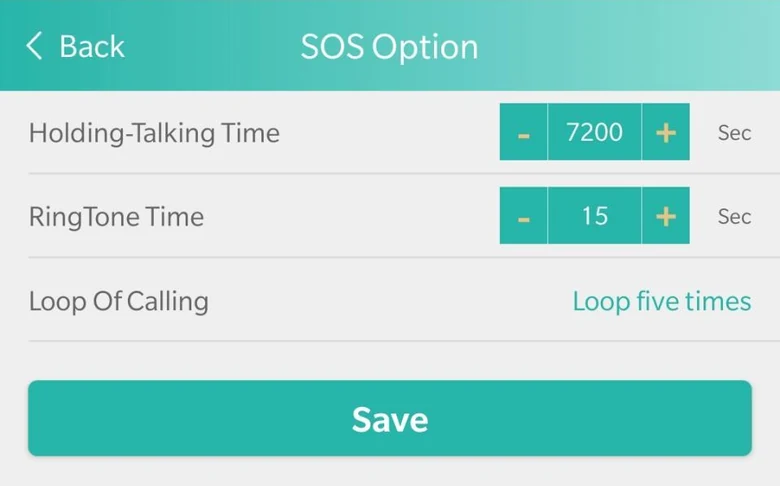
Step 2: It rings your people in order
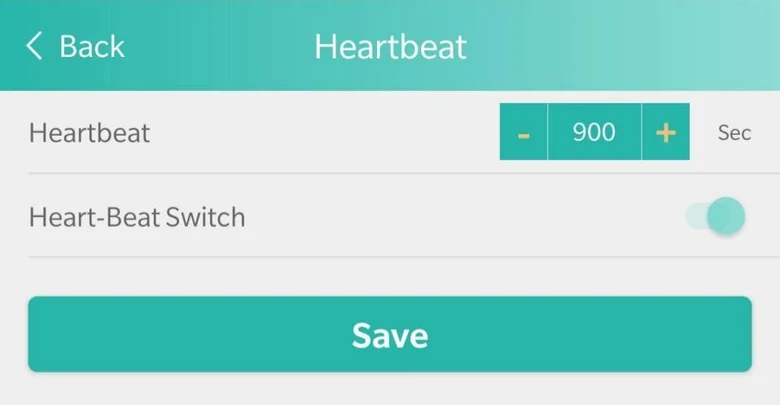
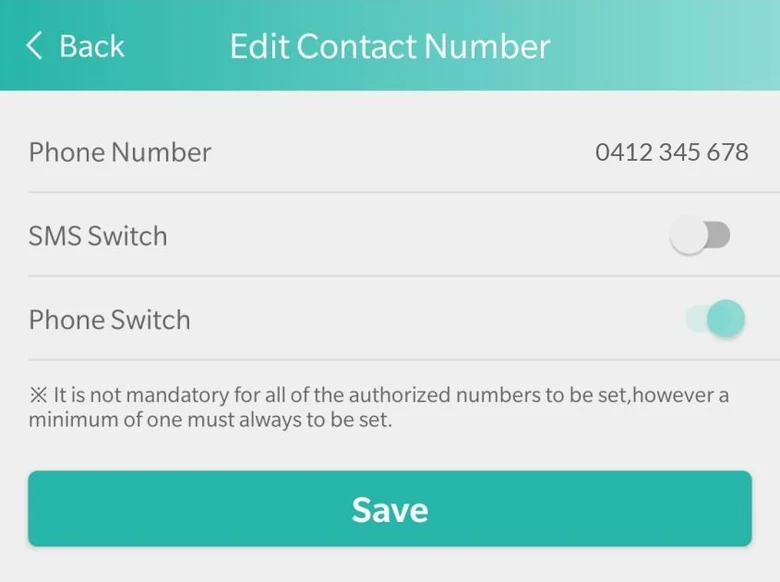
Jo first, then Mark, then Sue. We set it to ring each one for 15 seconds, then the next, up to five times round the list. This is that setting in the SOS Everywhere app.
Step 3: Jo sees where you are in the app
Anyone with texts switched on gets a text too, starting with the watch's name, Pat. The SOS Everywhere app shows where the watch is, with the address and the battery level.

Step 4: You talk through the watch
Whoever answers hears you through the watch, wrist to mouth, and you hear them. People on your list can ring it back, and it can answer on its own.
A snapshot of how you're going. Not a diagnosis.
Heart rate and blood oxygen when you ask for them, steps through the day, on the watch. Wellness grade. It isn't a medical device and it doesn't replace a GP.
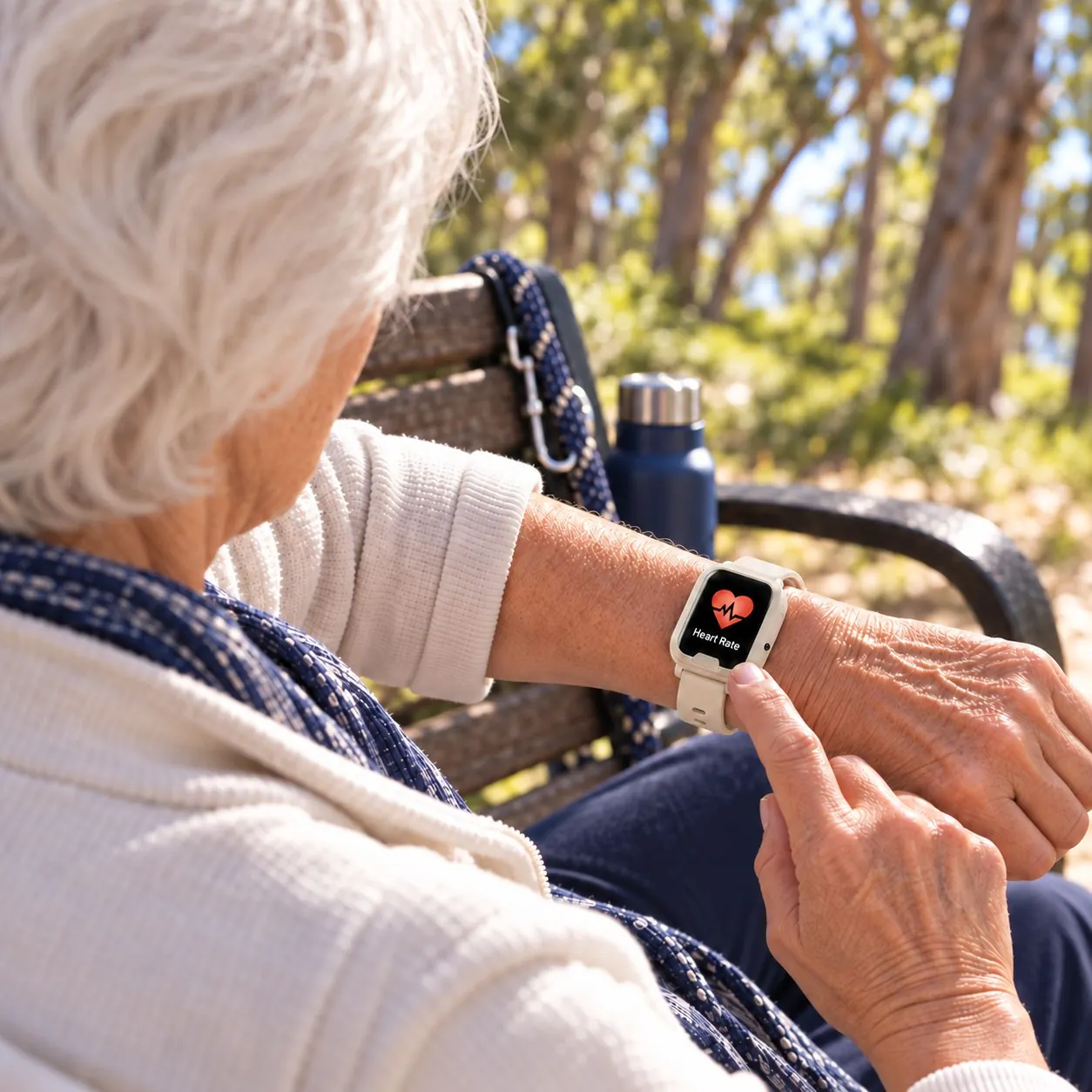
- Heart rateOn request, from the sensor on the back.
- OxygenBlood oxygen, on request.
- StepsCounted on the watch through the day.
- RemindersTablets at eight. The watch rings to remind you.
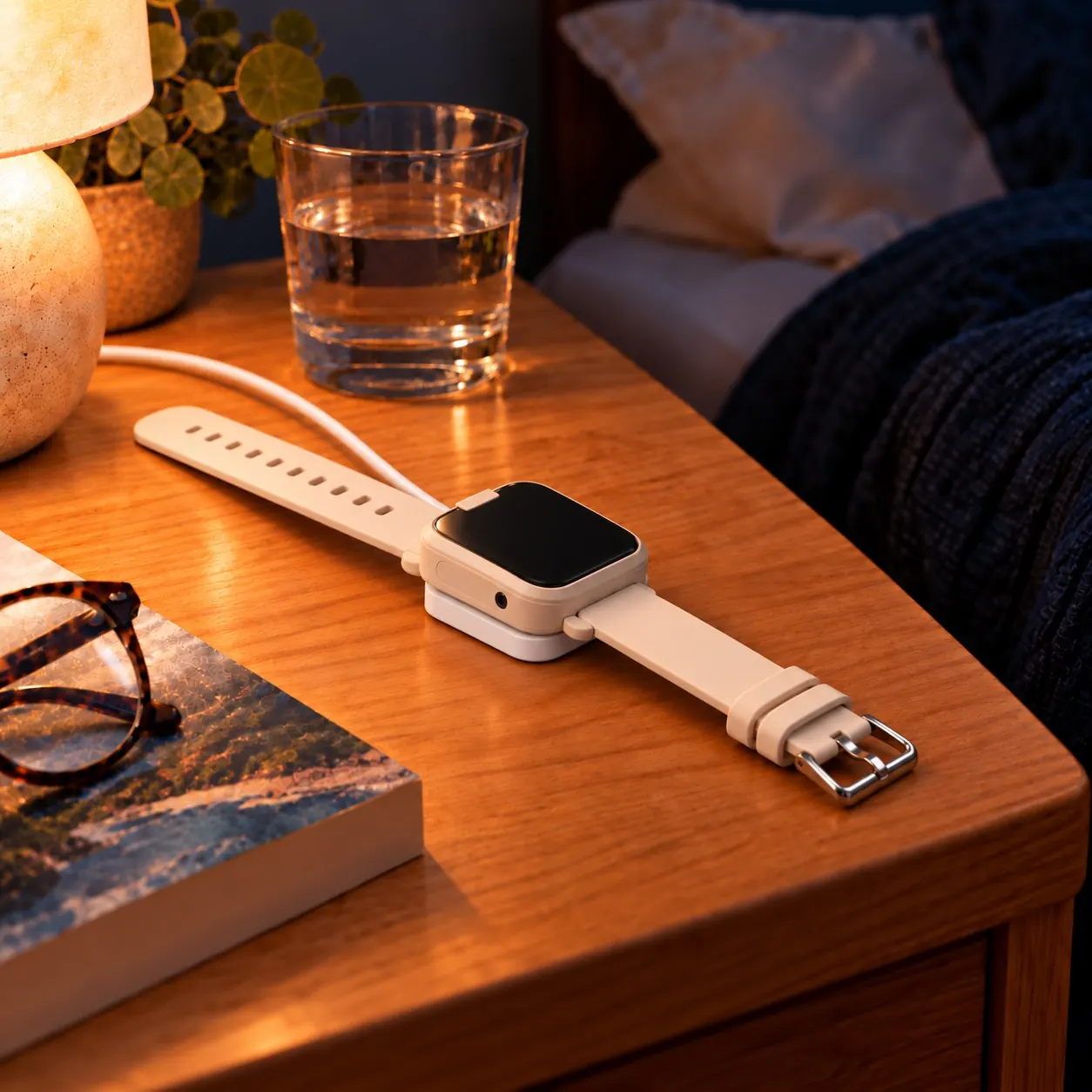
Five days, then a night on the cable.
Up to five days a charge in daily use, the maker's figure; we'll publish our own. The magnetic cable snaps onto the back. The SOS Everywhere app shows the battery level. A text goes to your contacts at 25%, and there's a second warning at 10%.
A watch you'll actually wear, and a year of the service.
What's in the box
- SOS Everywhere Watch, in cream, navy or black
- Magnetic charging cable and wall plug
- Nano SIM, installed, on our multi-carrier VoLTE network
- Setup card with the SOS Everywhere app link
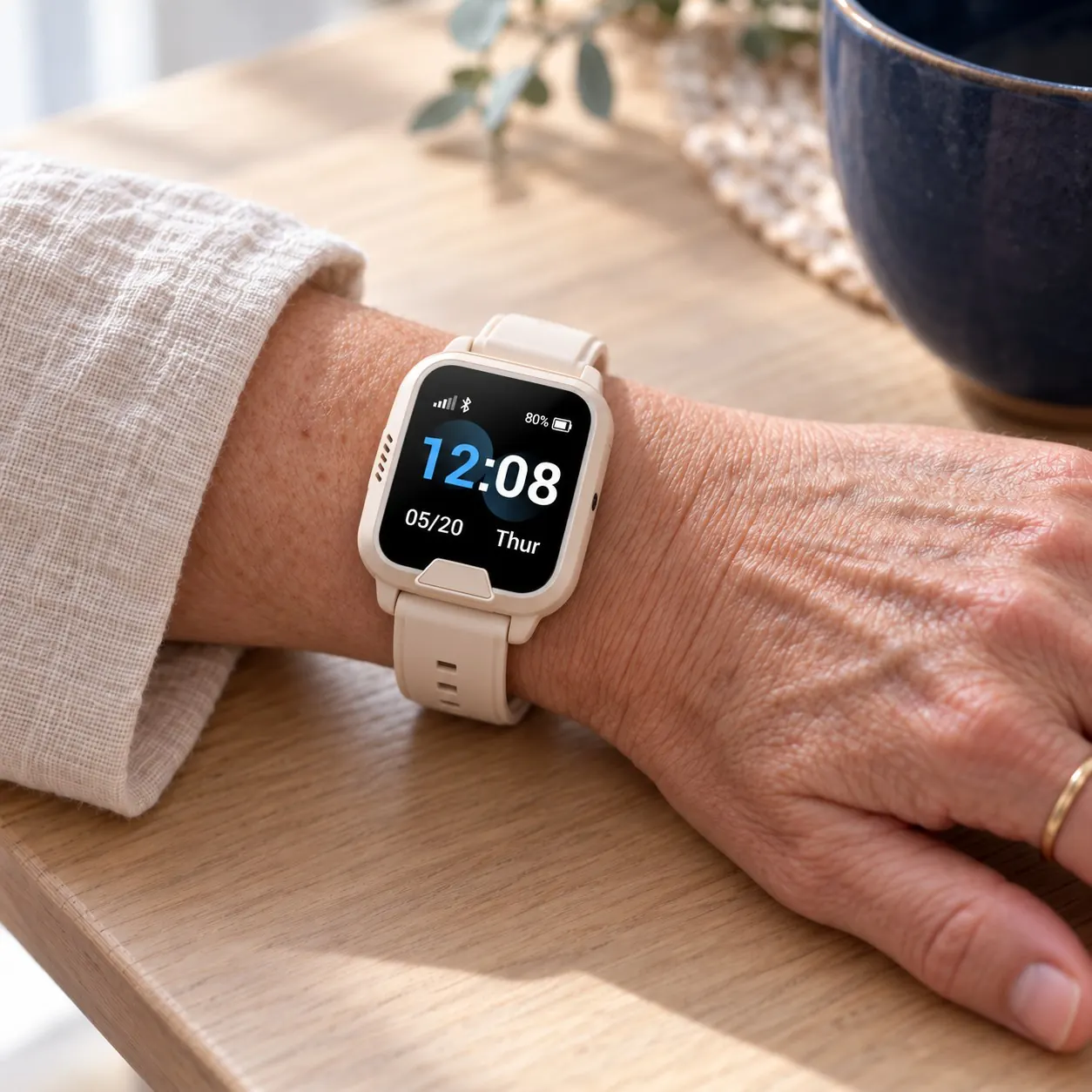
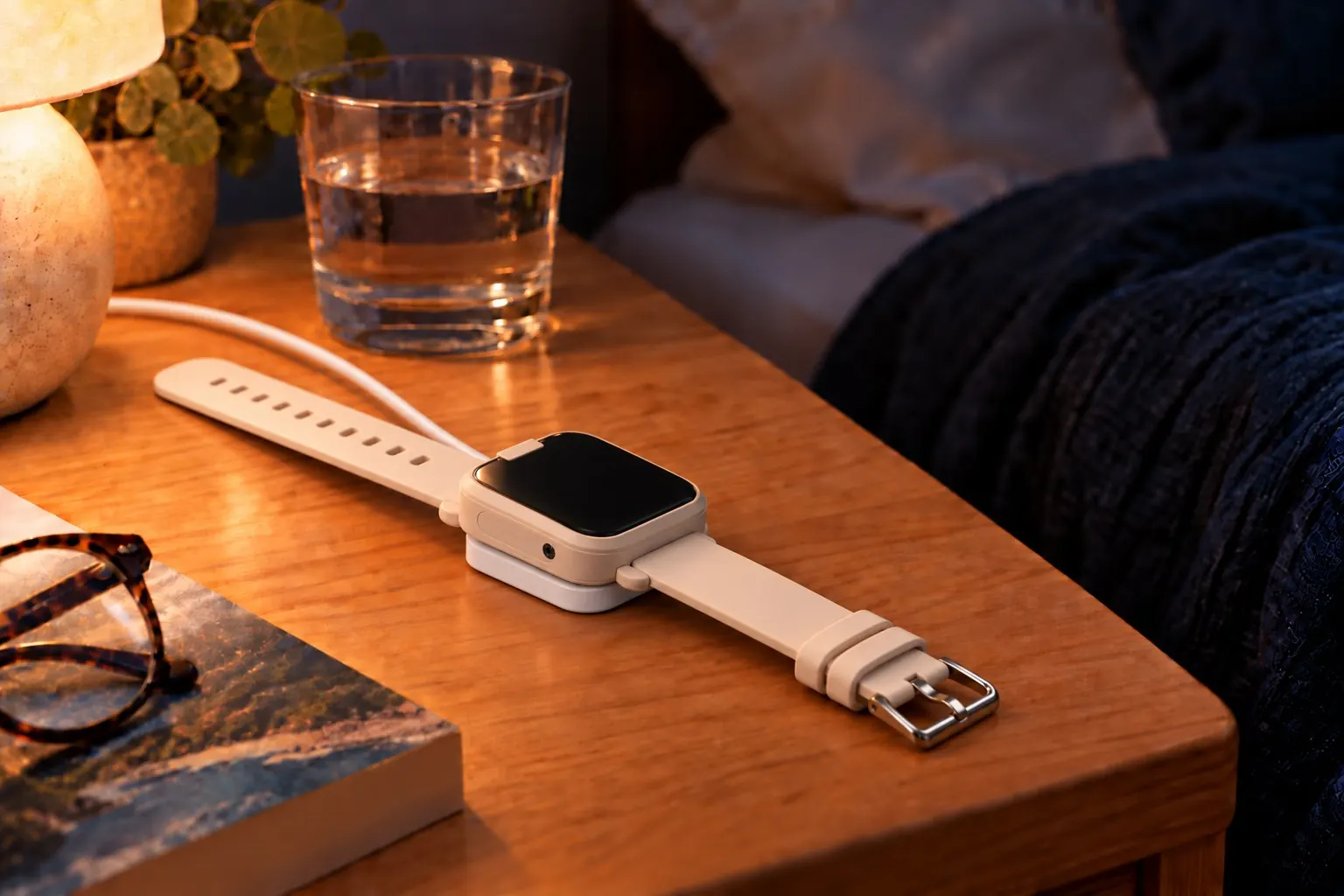
Cream, navy or black. It looks like a watch, because it is one.
- CreamIvory case and strap. The one in our photos.
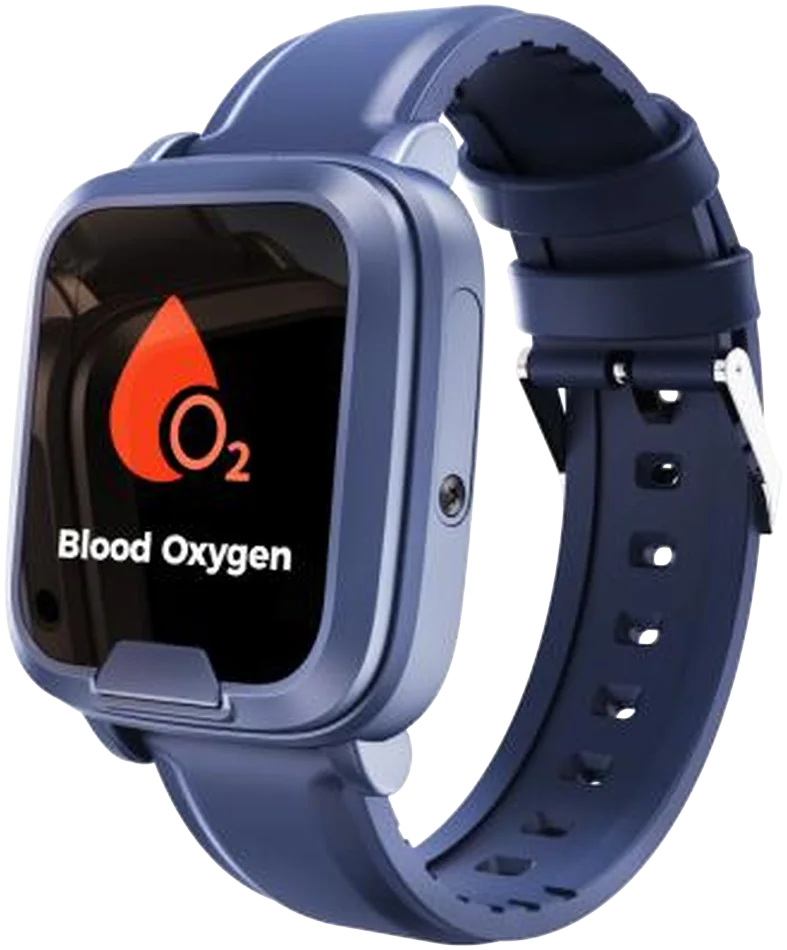
- NavySlate blue case and strap.
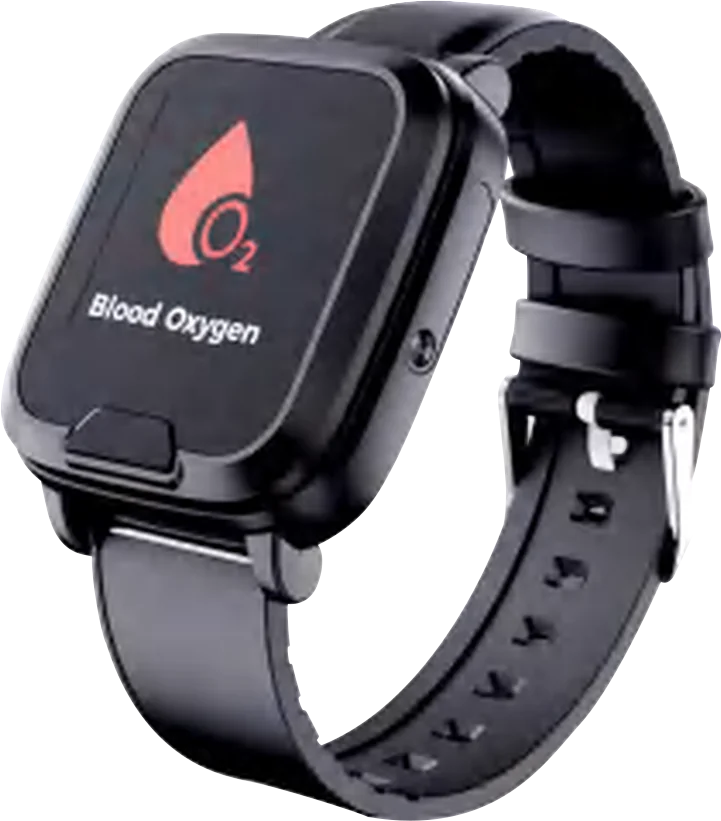
- BlackBlack case and strap. The Work colour.
Specifications
| Size | 46.9 × 41.7 × 15.4 mm |
|---|---|
| Weight | 56 g |
| Screen | 1.3 inch colour screen: time, date, battery, and a reading when one is taken. |
| Water rating | [IP RATING: confirm from the watch datasheet.] |
| Battery | 600 mAh. Up to five days a charge in daily use, the maker's figure. [Our own tests to follow.] |
| Charging | A magnetic cable that snaps onto the back. 5 V, 1 A wall plug in the box. |
| Buttons | One SOS button under the screen. A small side button on the right. [Confirm what it does.] |
| Networks | Telstra, Optus and Vodafone. Works on any Australian mobile network, everywhere there's mobile coverage. |
| SIM | Included and installed. Unlimited alarm calls and alarm texts. |
| Fall detection | Built in. If it senses a fall, it raises the alarm itself. No fall detector catches every fall. |
| Location | GPS, GLONASS and BeiDou outdoors, Wi-Fi indoors. Shown on the map in the SOS Everywhere app. |
| Two-way voice | Speaker and microphone in the watch. It can answer on its own when a contact rings it. |
| Wellness readings | Heart rate and blood oxygen on request, steps all day. Wellness grade, not a medical device. |
| Reminders | Up to four, set in the app. The watch rings at each one. |
| Check-ins | Every 15 minutes, as we set it. The SOS Everywhere app and the web dashboard show whether it's online. |
| Battery warnings | A text to your contacts at 25%, and a second warning at 10%. |
| Colours | Cream, navy or black. Silicone strap, pin buckle. |
| Warranty | 2 years |
| Compliance | RCM [pending the Australian report set]. Not a medical device. Supplier details on the compliance page. |
What's in the box
- SOS Everywhere Watch, in cream, navy or black
- Magnetic charging cable and wall plug
- Nano SIM, installed, on our multi-carrier VoLTE network
- 12 months of SIM service
Hold the button, and talk through the watch.
Hold it for two seconds and it rings your people in order. We set it to ring each for 15 seconds, up to five times round the list. When someone answers, you talk through the watch, wrist to mouth, with no phone to find. Anyone with texts switched on gets a text too. If the watch senses a fall, it raises the alarm itself. No fall detector catches every fall.
We set it so only the people on the list can ring the watch, and it can answer them by itself.
A snapshot of how you're going. Not a diagnosis.
Heart rate and blood oxygen when you ask for them, steps through the day. The watch takes the readings at wellness grade and shows them on its screen. It isn't a medical device and it doesn't replace a GP.
- Heart rateOn request, from the sensor on the back.
- OxygenBlood oxygen, on request.
- StepsCounted on the watch through the day.
- RemindersTablets at eight. The watch rings to remind you.

How do I know it's still working?
The SOS Everywhere app shows whether the watch is online, how charged it is and where it last was. If the battery runs low, your contacts get a text.Between alarms it keeps checking in, so you can see it's on and charged.
- A check-in every 15 minutesOver the mobile network, day and night, as we set it. The SOS Everywhere app and the web dashboard show whether it's online.
- The battery, in the appThe app's map shows the watch's battery level and when it last reported.
- A text if it's low or switched offA text to your contacts at 25%, and a second warning at 10%. It can text them when it's switched off, too.
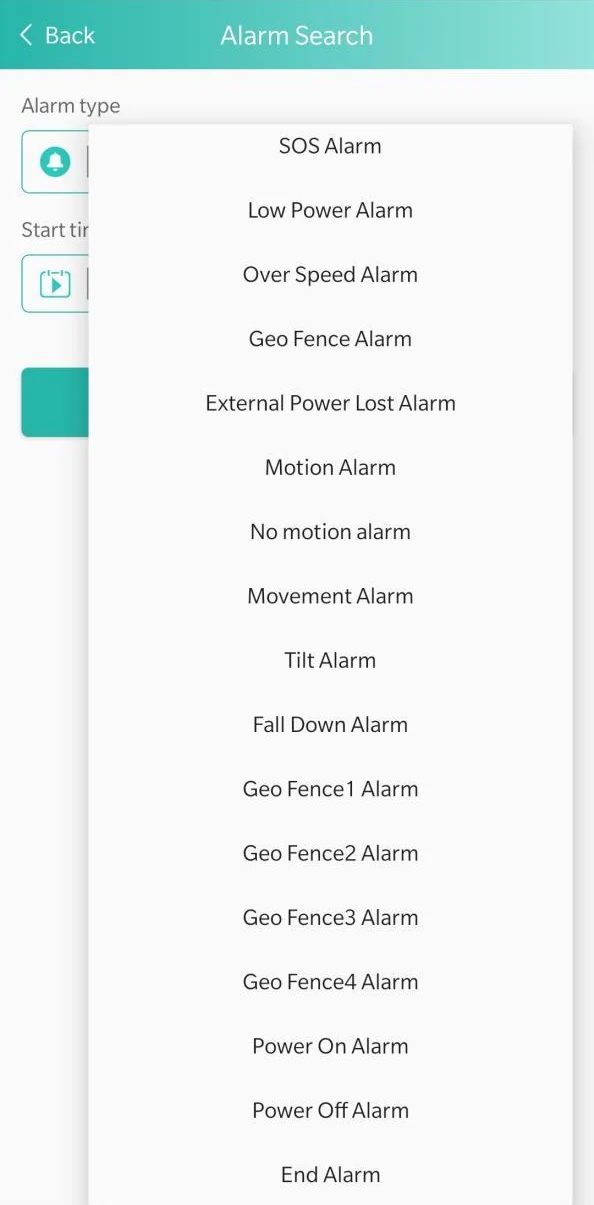
- Every alarm, on the listLook back by type and date in the app. Alarms can also come to you as a notification and by email.
Between alarms, SOS Everywhere keeps checking in.
The watch checks in over the mobile network all day and reports where it is on a schedule. That's how the SOS Everywhere app and the web dashboard show it's online, how much battery is left and where it last was. Every setting is changed from the app, so nobody has to touch a setting on the watch itself.
- 15 sRings each contact for 15 secondsThen the next. It goes round the list up to five times, then stops. Both are settings we choose.
- 10Contacts, called in orderUp to 10, each with its own call switch and text switch. Change the order in the app.
- 10 sLocation during an SOSEvery 10 seconds for 10 minutes, as we set it. Otherwise every 10 minutes moving, every hour still.
- 7 daysLocation history in the appSearch up to 7 days of where it's been. The web dashboard searches longer ranges and exports to Excel or PDF.
- 4Safe zonesUp to four circles on the map. Each alerts when the watch goes in, or when it comes out. For both, set two.
- 25%Two battery warningsA text to your contacts at 25%, and a second warning at 10%.
- 15 minChecks in with the networkA heartbeat every 15 minutes, as we set it. The app and the web dashboard show whether it's online.
- 2 sHold the button for helpThe SOS button is set to a hold of 2 seconds, not a single press. It can confirm with a voice or a vibration.
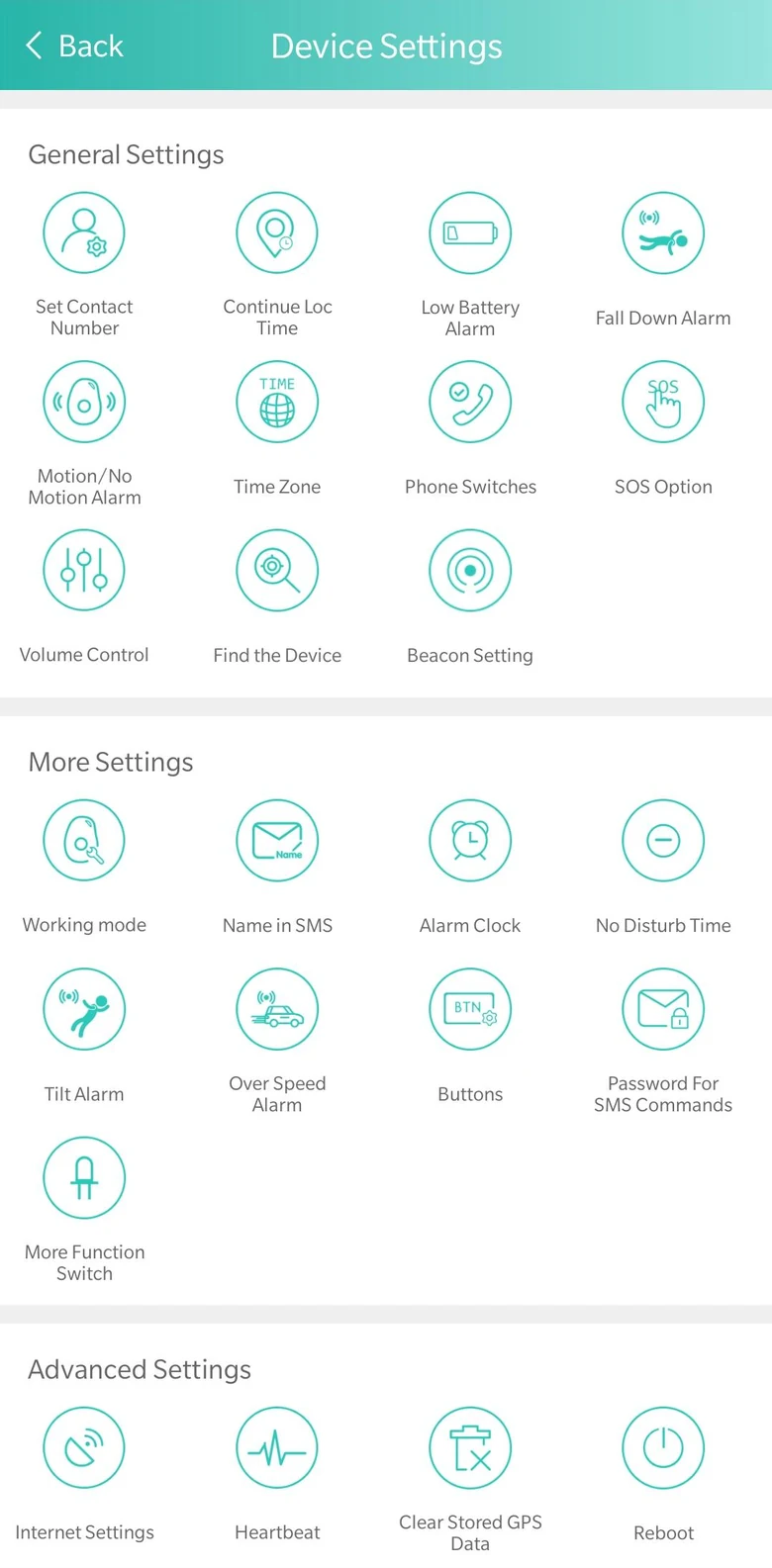
We set these timings in the SOS Everywhere app, and they can be changed there. Tap Find the Device in the app and the watch says "I'm here". No Disturb Time keeps it silent between the hours you choose, such as overnight.
Contacts, alarms and every setting, in one app.The SOS Everywhere app
Included with SOS Everywhere, for iPhone and Android. We set up your login. Every setting is changed in the app, so nothing needs setting on the watch itself.Included with SOS Everywhere, for iPhone and Android. We set up your login. Swipe to see three of its screens.
See everything the app doesEvery setting in one place. Tap Find the Device and the watch says "I'm here".Every setting in one place, from reminders to quiet hours.
Look back at past alarms by type and date: SOS, low battery, safe zones, power off and more.Past alarms, searched by type and date.
Up to 10 contacts, called in the order you set. Each one gets a call, a text or both.Up to 10 contacts, called in order. A call, a text or both.
What you see and change in the app
Where a figure is a setting, we choose it. Settings are changed in the app, not on the watch itself.- 15 sRings each contact for 15 secondsThen the next. It goes round the list up to five times, then stops. Both are settings we choose.
- 10Contacts, called in orderUp to 10, each with its own call switch and text switch. Change the order in the app.
- 10 sLocation during an SOSEvery 10 seconds for 10 minutes, as we set it. Otherwise every 10 minutes moving, every hour still.
- 7 daysLocation history in the appSearch up to 7 days of where it's been. The web dashboard searches longer ranges and exports to Excel or PDF.
- 4Safe zonesUp to four circles on the map. Each alerts when the watch goes in, or when it comes out. For both, set two.
- 25%Two battery warningsA text to your contacts at 25%, and a second warning at 10%.
- 15 minChecks in with the networkA heartbeat every 15 minutes, as we set it. The app and the web dashboard show whether it's online.
- 2 sHold the button for helpThe SOS button is set to a hold of 2 seconds, not a single press. It can confirm with a voice or a vibration.
Same alarm, same app, same SIM. Two ways to wear it.
 SOS Everywhere Pendant SOS Everywhere Pendant | 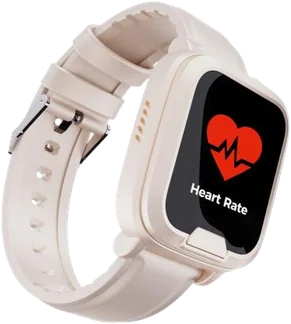 SOS Everywhere Watch SOS Everywhere Watch | |
|---|---|---|
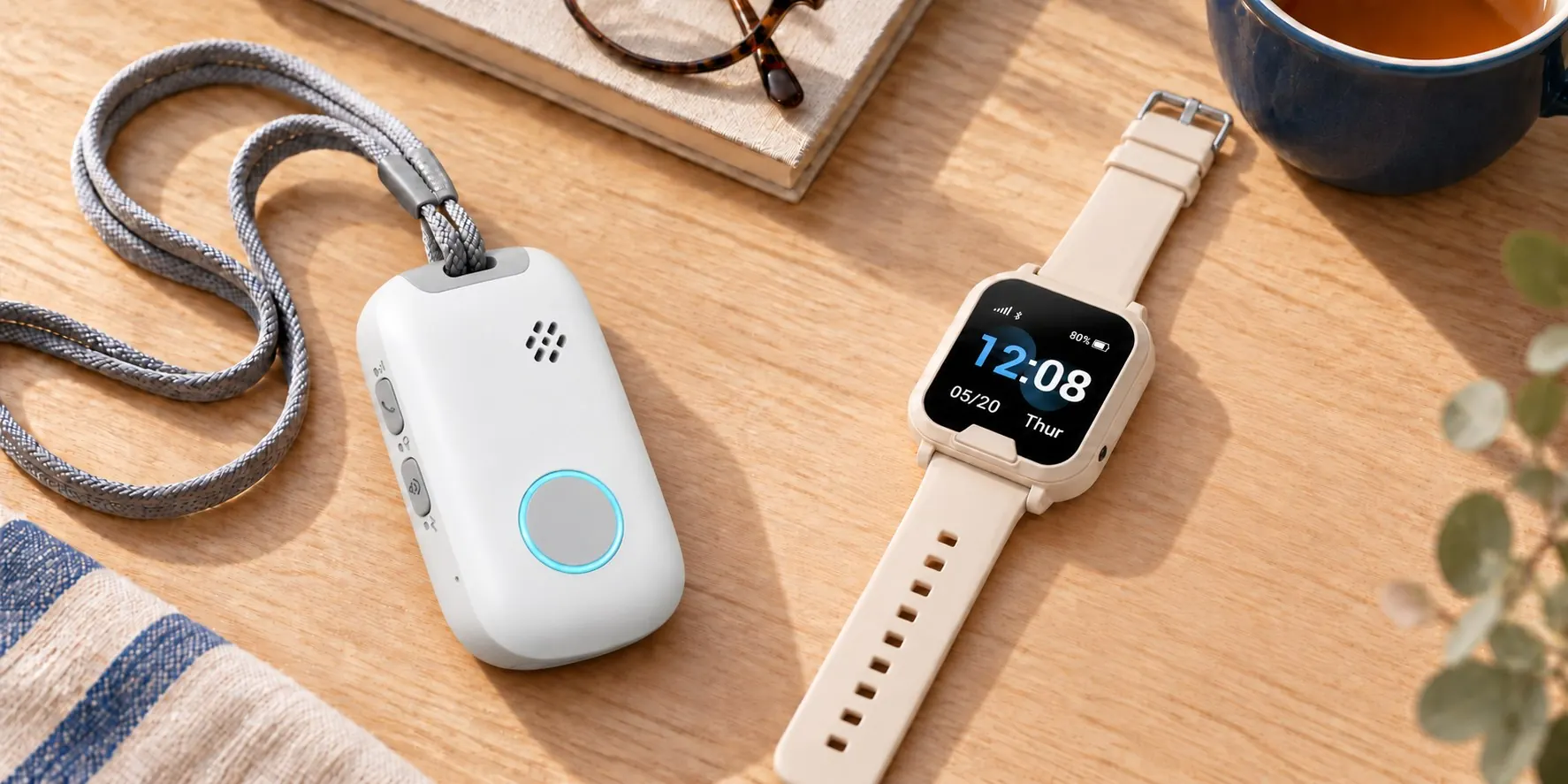
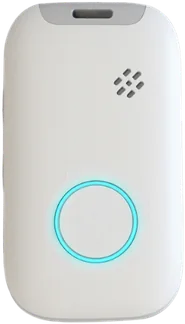
| Worn | Around the neck on a lanyard. | On the wrist, like any watch. |
| The button | One big round button on the front. | One wide button under the screen. |
| Screen | None. Nothing to learn. | Time, date, battery. Readings when asked. |
| Talking | Through the pendant, chest height. | Through the watch, wrist to mouth. |
| Fall detection | Yes. | Yes. |
| Water rating | IP67, shower and rain. | [IP rating: confirm] |
| Battery | 720 mAh, charges overnight. | 600 mAh, up to five days in daily use. |
| Charging | Magnetic cable. | Magnetic cable. |
| Wellness readings | No. | Heart rate, blood oxygen, steps. |
| Reminders | Rings at the set times. Up to four. | Rings at the set times. Up to four. |
| Tap to identify | Yes, an NFC tag inside. | No. |
| Weight | 43 g. | 56 g. |
| Price | $487, 12 months included. | $487, 12 months included. |
| Best for | Someone who wants nothing to think about, or won't wear a watch. | Someone who already wears a watch, or wants the readings. |
| Pendant | Watch | |
|---|---|---|
| Worn | Neck or belt | Wrist |
| Button | Big round, on the front | Wide, under the screen |
| Screen | None | Time, date, battery |
| Fall detection | Yes | Yes |
| Water rating | IP67 | [confirm] |
| Battery | 720 mAh | 600 mAh, up to 5 days |
| Charging | Magnetic cable | Magnetic cable |
| Readings | No | Heart rate, oxygen, steps |
| Reminders | Rings | Rings |
| Tap to identify | Yes | No |
| Weight | 43 g | 56 g |
| Price | $487 | $487 |
Questions about the Watch
More about SOS Everywhere
- Fall detectionHow SOS Everywhere notices a fall, what it does next, and what it can miss.How it notices a fall, and what it can miss.
- The pendantOne button, no screen, around the neck or on a belt. The other way to wear SOS Everywhere.One button, no screen. The other way to wear it.
- FundingHCP, Support at Home, CHSP through Indigo's geat2GO platform, NDIS, DVA and EnableNSW: who qualifies and what to ask for.HCP, Support at Home, CHSP through Indigo's geat2GO platform, NDIS, DVA and EnableNSW.